

 |
RCA to Powerlink cable – Connect Beolab without Tulip
Which connection does your BeoLab speaker have?
Older Beolab speakers have 2 connections.
Din8 Powerlink (standard B&O connection)
RCA connection (image on the left)
These types have the 2 connections: Beolab 1/5/3000/4000/4500/5000/6000/8000/Penta.
Only 1 of the 2 connections can be used.
Either RCA or Powerlink.
You connect these speakers via:
PowerLink cable with DIN8
RCA/phono cable from Sonos, WiiM Mini, or receiver.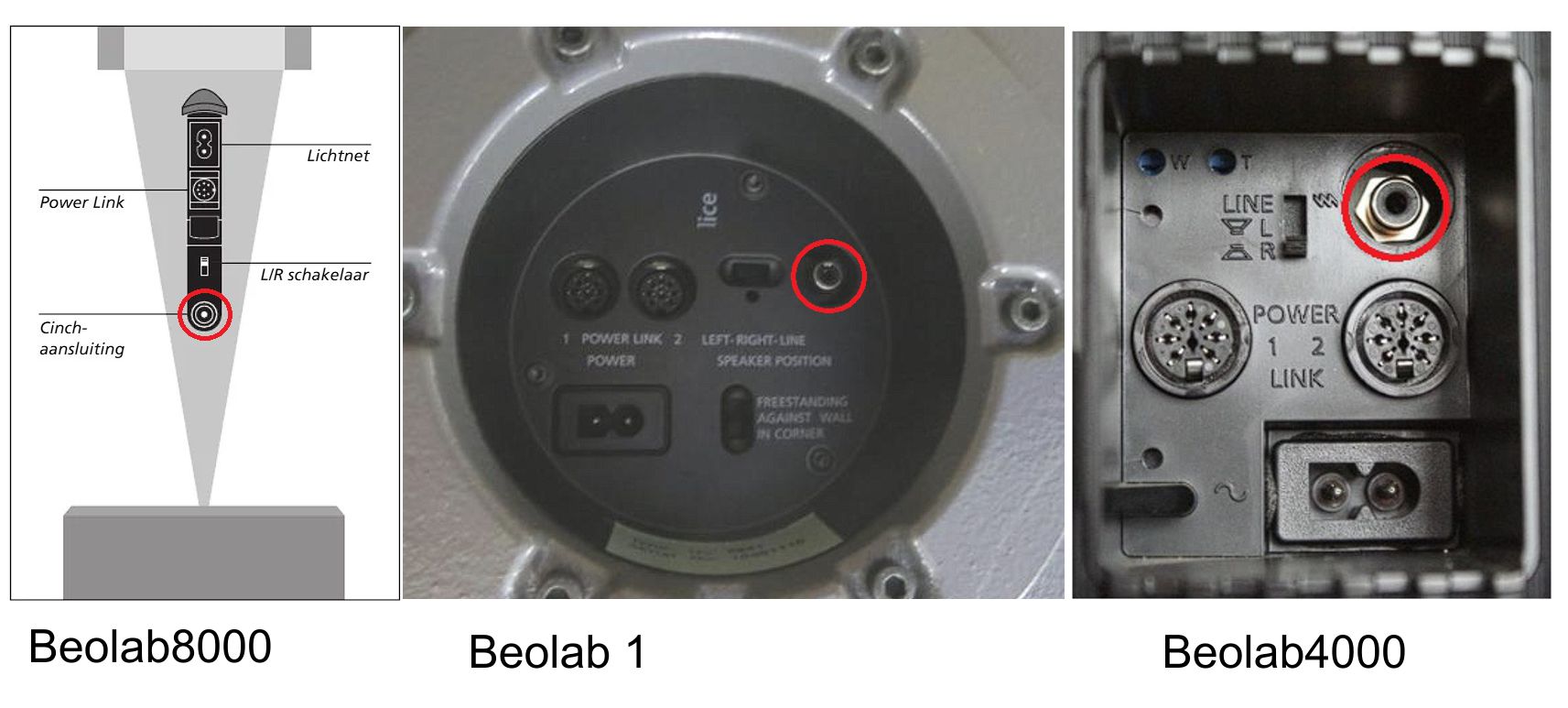
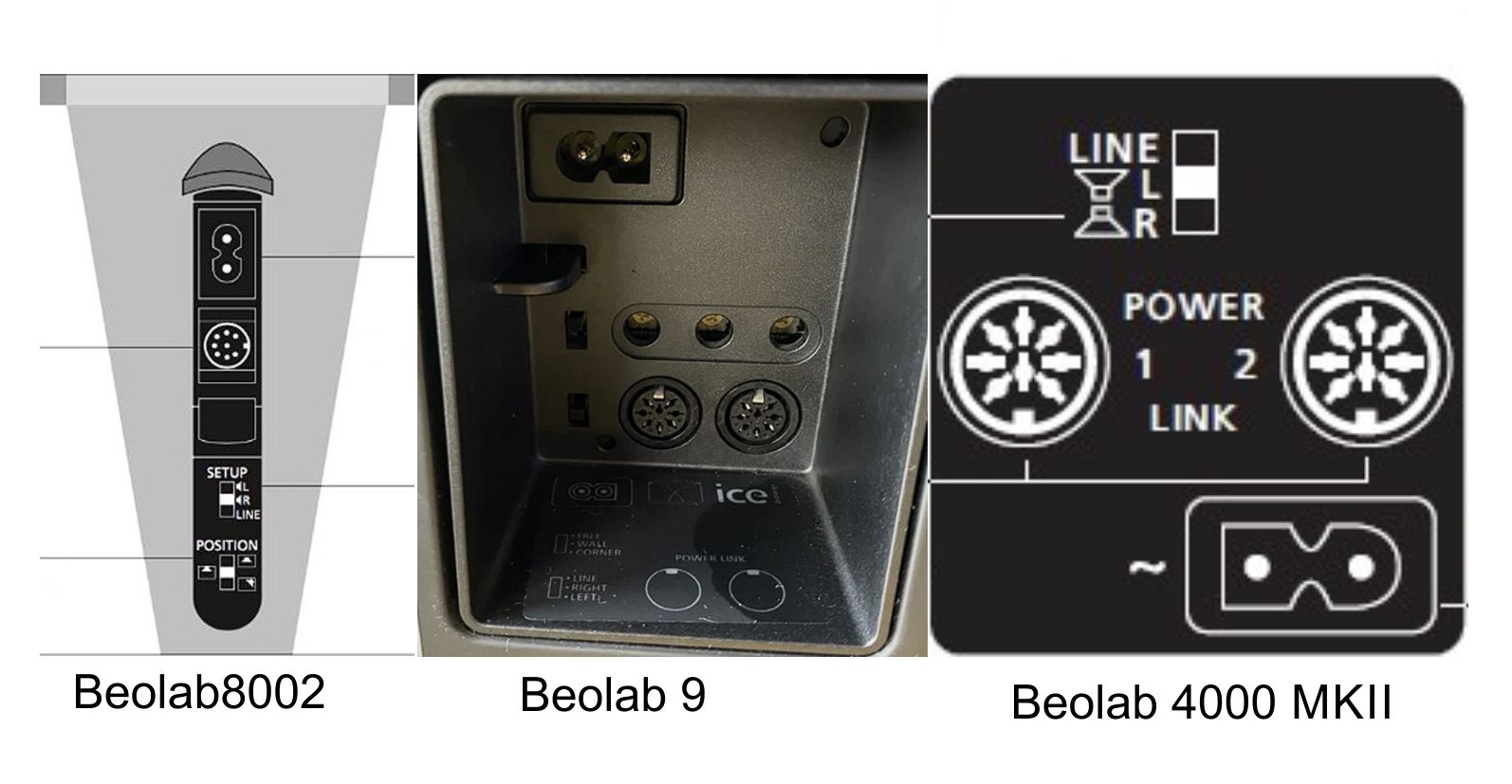
Newer Beolab speakers have 1 connection
Only the DIN8 (image on the right)
These speaker types have only 1 connection: Beolab 3/9/11/4002/6002/8002.
These speakers have a built-in LINE input, but not via RCA, but via a DIN connection.
You can therefore connect the speaker from a receiver/Sonos/Node, etc., using an RCA to DIN connector.
This is called a LINE cable; at the speaker connection, you will see a switch labeled R/L/LINE.
When using a LINE cable, set the switch on both speakers to LINE.
The speakers turn on as soon as sound is detected on the line and switch off after approximately 3 minutes if there is no signal.
You connect these speakers via:
LINE cable — DIN7 to RCA/tulip
Other models require a trigger signal with the original Powerlink cable.
These are Beolab 2/7-1/7-2/7-4/7-6/Lab 10
Another connection does not work.